Everything you need to know about Android App Bundles: how AAB works, how to build and test it with bundletool, and how to cut your app size before launching on Google Play.
Since August 2021, every new app on Google Play must be published as an Android App Bundle (AAB). But AAB is far more than a mandatory file format. Used well, it makes your app smaller, your releases smarter, and your users happier. This guide covers what AABs are, how to build and test them, and how to get the most out of them.
What Is an Android App Bundle?
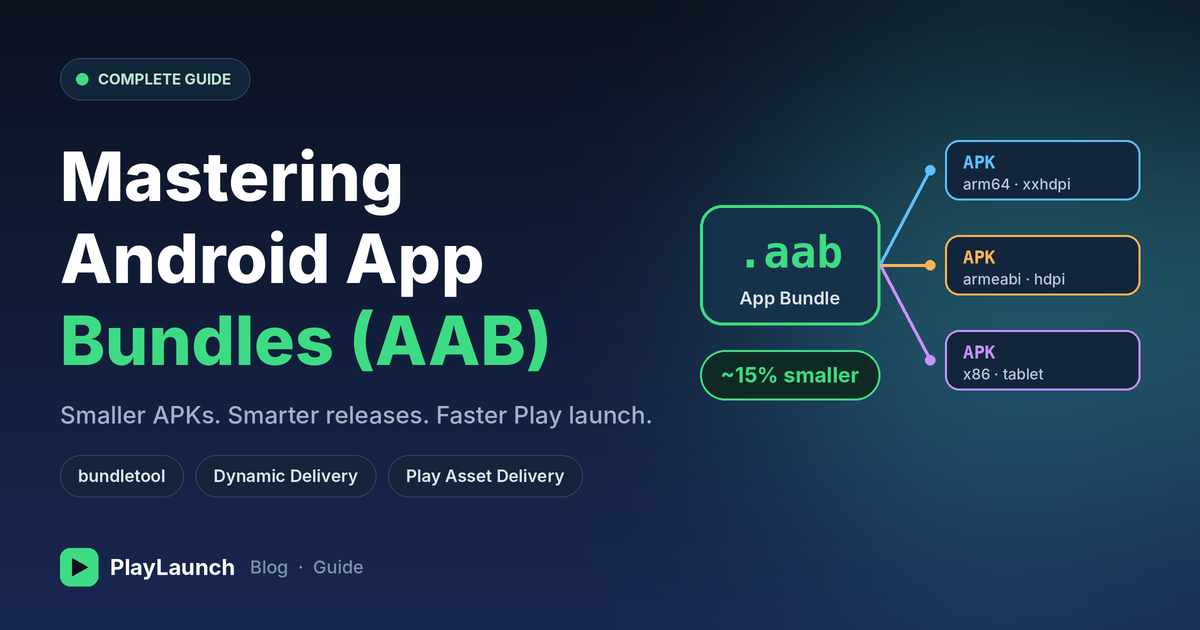
An Android App Bundle (.aab) is a publishing format, not an installable file. It contains all your app's compiled code, resources, and native libraries. You upload it to Google Play, and Google Play generates optimized APKs for each user's device.
- APK: a finished product shipped to everyone, whether or not they need every part of it.
- AAB: the full blueprint. Google Play assembles exactly what each device needs.
This process is called Dynamic Delivery.
Why AAB Matters
1. Smaller downloads
A user on a mid-range phone with an arm64 CPU and an xxhdpi screen doesn't need x86 libraries or tablet-density images. With AAB, they download only what applies to them. Google has reported average savings of around 15% compared to universal APKs, and often much more for apps with heavy native code or assets.
2. Higher install conversion
Smaller apps mean faster installs, less data use, and fewer drop-offs, especially in markets like India where storage and data are precious.
3. Modular delivery
Ship features and large assets on demand instead of up front.
4. No more multi-APK headaches
You no longer need to maintain separate APKs per ABI or screen density. One bundle covers everything.
5. Better security
AAB requires Play App Signing. Google securely manages your app signing key, and you keep an upload key for submissions.
Anatomy of an App Bundle
- Base module: core code and resources every user needs.
- Feature modules (optional): dynamic features delivered on demand or conditionally.
- Asset packs (optional): large game or media assets delivered separately.
- Metadata: ProGuard/R8 mapping files and bundle configuration.
From this, Google Play generates split APKs:
- Base APK: core app code and resources.
- Configuration APKs: device-specific resources such as ABI, screen density, and language.
- Dynamic feature APKs: optional features delivered on demand.
Split APKs are supported on Android 5.0 (API 21) and above. For older devices, Play serves a compatible multi-APK or standalone version.
Building an AAB
Using Android Studio
Go to Build → Generate Signed Bundle / APK → Android App Bundle, then choose your keystore and build variant.
Using Gradle
./gradlew bundleReleaseThe output is generated at:
app/build/outputs/bundle/release/app-release.aabSigning
Sign the bundle with your upload key, then enroll in Play App Signing in the Play Console. Google re-signs the generated APKs with the app signing key it holds.
Testing Your Bundle with Bundletool
Since an AAB can't be installed directly, use bundletool, Google's official command-line tool.
Generate APKs from a bundle
java -jar bundletool.jar build-apks \
  --bundle=app-release.aab \
  --output=app.apks \
  --ks=my-release-key.jks \
  --ks-key-alias=my-alias
Install on a connected device
java -jar bundletool.jar install-apks --apks=app.apksCheck estimated download sizes
java -jar bundletool.jar get-size total --apks=app.apksBuild a universal APK (for QA or quick sharing)
java -jar bundletool.jar build-apks \
  --bundle=app-release.aab \
  --output=app-universal.apks \
  --mode=universal
You can also use Internal App Sharing in the Play Console to get a shareable test link directly from an uploaded AAB.
Play Feature Delivery: Modular Apps
With dynamic feature modules, you control when a feature is installed:
- Install-time delivery: included with the initial install.
- On-demand delivery: downloaded only when the user needs it.
- Conditional delivery: based on device features, country, or API level.
- Instant delivery: available through Google Play Instant.
A simple on-demand request looks like this:
val splitInstallManager = SplitInstallManagerFactory.create(context)

val request = SplitInstallRequest.newBuilder()
    .addModule("camera_filters")
    .build()

splitInstallManager.startInstall(request)
    .addOnSuccessListener { /* Feature is ready */ }
    .addOnFailureListener { /* Handle error */ }
Good candidates for on-demand modules: rarely used features, AR or camera tools, premium sections, and region-specific functionality.
Play Asset Delivery: For Games and Media-Heavy Apps
Play Asset Delivery replaces the old expansion files (OBB). Asset packs support three modes:
- Install-time: downloaded with the app.
- Fast-follow: downloaded automatically right after install.
- On-demand: downloaded when requested by the app.
This lets games keep the initial download small while loading levels, textures, or audio later.
Optimization Tips
Enable R8 shrinking
buildTypes {
    release {
        isMinifyEnabled = true
        isShrinkResources = true
        proguardFiles(
            getDefaultProguardFile("proguard-android-optimize.txt"),
            "proguard-rules.pro"
        )
    }
}
Control bundle splits (for example, in-app language switching)
android {
    bundle {
        language { enableSplit = false }
        density { enableSplit = true }
        abi { enableSplit = true }
    }
}
More ways to trim size
- Use WebP or vector drawables instead of heavy PNGs.
- Remove unused libraries and duplicate dependencies.
- Audit third-party SDKs and compress native libraries.
- Use Android Studio's APK Analyzer to find the heaviest components.
- Check the App size report in Play Console.
Common Pitfalls
- Language switching breaks. If users can change language in-app, language splits can cause missing strings. Disable language splitting or use the Play Core language APIs.
- Assuming the AAB is installable. It isn't. Always test via bundletool or Internal App Sharing.
- Losing the upload key. You can request a reset in Play Console, but it adds delay. Store it safely.
- Not testing split behavior. Some bugs appear only in split-APK installs. Test the real generated APKs, not just a debug build.
- Ignoring size limits. Google Play enforces limits on download, bundle, and module sizes. These change over time, so check the latest documentation before release.
Migrating from APK to AAB: Quick Checklist
- Update the Android Gradle Plugin to a recent stable version.
- Enroll in Play App Signing.
- Run bundleRelease and test with bundletool.
- Verify resources, languages, and native libraries across devices.
- Upload to an internal or closed testing track first.
- Roll out gradually (staged rollout) and monitor crashes and vitals.
Final Thoughts
Android App Bundles are the foundation of modern Android distribution. They shrink your app, give you flexible delivery options, and align your workflow with where Google Play is headed. Start small: build your first bundle, test it with bundletool, and compare the size against your old APK. The difference is usually all the convincing you'll need.
Ready to launch your app on Google Play?
Get your AAB tested, your closed testing requirements covered, and your app live with PlayLaunch.
Need 12 Testers for Your Google Play Closed Test?
PlayLaunch provides 12+ real active Android testers across 14 continuous days with 100% policy compliance to ensure your app passes Google Play production review smoothly.
Start Closed Testing Now