Most users never update on their own. Learn how an in-app update library gets fixes and features into users' hands faster, improves security, and cuts support costs.
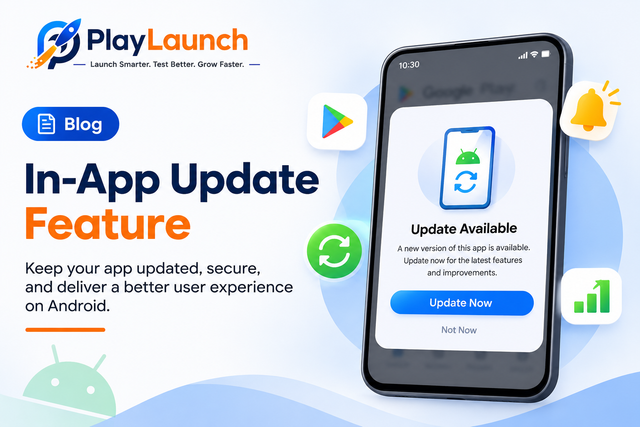
You shipped a critical bug fix last week, but only 40% of users are on the latest version. The rest are still hitting the same crash and leaving the same one-star reviews. An in-app update library is one of the simplest ways to fix this.
1. The Problem: Users Don't Update
Even with auto-update enabled, a large share of users stay on old versions because of low storage, limited data, or auto-update being turned off. The result:
- Version fragmentation: you end up supporting 5-10 versions at once.
- Unpatched bugs: fixes never reach the people who need them most.
- Security risks: known vulnerabilities stay alive in the wild.
- Backend headaches: old clients break when APIs change.
2. What Is an In-App Update Library?
It is a small package that checks whether a newer version is available and prompts the user to update without leaving the app. Popular options:
- Android: Google Play In-App Updates API
- Flutter:
in_app_update,upgrader - React Native:
sp-react-native-in-app-updates - iOS: no native API, so libraries like Siren detect new versions via the App Store lookup and redirect to the store
3. Two Types of Updates
Flexible Update
The user keeps using the app while the update downloads in the background, then gets a prompt to restart. Great for regular feature releases.
Immediate (Forced) Update
A full-screen blocking flow. Ideal for critical security patches or breaking API changes.
4. Why You Need One in Every App
- Faster adoption: an in-app prompt converts far better than hoping users visit the store.
- Critical fixes reach users quickly: force the update instead of waiting weeks.
- Safer backend evolution: deprecate old API versions with a minimum supported version.
- Lower support costs: fewer "this is already fixed" tickets.
- Better experience: users never have to hunt through the Play Store.
- Better ratings: fewer crashes on the latest build means better reviews.
5. Best Practices
- Don't over-prompt: use flexible updates for minor releases and forced updates only for critical ones.
- Use a minimum version check: store it in remote config (e.g. Firebase Remote Config) so you can change it without a release.
- Explain what's new: a short "why update" message increases acceptance.
- Handle failures gracefully: don't trap users in a loop unless it's a forced update.
- Test properly: Android's in-app update flow only works with Play-installed builds, so use internal app sharing.
- Track metrics: measure prompt shown, accepted, dismissed, and completed rates.
6. Quick Android Example
val appUpdateManager = AppUpdateManagerFactory.create(context)

appUpdateManager.appUpdateInfo.addOnSuccessListener { info ->
    if (info.updateAvailability() == UpdateAvailability.UPDATE_AVAILABLE
        && info.isUpdateTypeAllowed(AppUpdateType.FLEXIBLE)) {
        appUpdateManager.startUpdateFlowForResult(
            info, AppUpdateType.FLEXIBLE, activity, REQUEST_CODE
        )
    }
}
Conclusion
Shipping great features means nothing if users never get them. An in-app update library closes the gap between "released" and "actually in users' hands". It is a few lines of code that improve security, stability, and user experience. If your app doesn't have one yet, add it in your next sprint.
Need 12 Testers for Your Google Play Closed Test?
PlayLaunch provides 12+ real active Android testers across 14 continuous days with 100% policy compliance to ensure your app passes Google Play production review smoothly.
Start Closed Testing Now